
A job search tracker is one place where every application lives: the company, the role, what you sent, what happened next and when you plan to act. Most people start one in week one and drop it by week three, because it has too many columns or because updating it feels like a second job. This guide covers what a job search tracker needs, three formats to choose from, a status pipeline, and a weekly routine that takes about half an hour.
Key takeaways
- The point of a tracker is to stop missed deadlines, mixed-up interview times and forgotten follow-ups, the problems Indeed names in its guide to organizing a job search.
- Six columns cover most of what you need: company, role, date applied, status, next action with a date, and a contact.
- One status per application, and a fixed set of statuses, makes the tracker readable at a glance.
- A short weekly review beats daily fiddling: update statuses, send the follow-ups that are due, pick next week's jobs.
- Keep rejected rows. They show which sources and resume versions get replies.
Why a job search tracker is worth the setup
Indeed's career guide says it plainly: during an average search, the number of applications, follow-ups and replies you have to keep up with becomes difficult to manage, and the confusion can lead to missed application deadlines, mixed-up interview times and forgotten follow-ups. Anyone who has had a recruiter call and could not remember which version of the resume they sent, or even which job it was, knows the feeling.
A tracker fixes two things. It is your memory, so a call from an unknown number becomes a 10-second lookup. And it is your to-do list, so the follow-up you planned for next Tuesday shows up next Tuesday. It also makes a long search less lonely, since you can see how much you have done even in a week with no replies.
What to put in your job search tracker
Indeed suggests these elements for a job application table: company name, company information, contact person, contact information, application date, interview, follow-up, status, listing source and a personal rating of the job. That is ten columns before you add anything of your own, and it is why many trackers die. Here is a shorter version, with a note on where each column comes from.
| Column | What goes in it | Why keep it |
|---|---|---|
| Company and role | Name and exact job title | Lets you recognize the call; in Indeed's list |
| Date applied | The day you sent it | Starts the follow-up clock; in Indeed's list |
| Status | One value from a fixed list | The core of the tracker; in Indeed's list |
| Next action and date | "Follow up", "send portfolio", "interview" | Turns the tracker into a to-do list (our addition) |
| Contact | Recruiter or hiring manager, if you know one | Who to write to; in Indeed's list |
| Source | Where you found the posting | Shows which channels work; in Indeed's list |
| Resume version | File name or a short label | So you know what they read (our addition) |
| Posting link | The URL | Postings get taken down; copy key requirements into notes too (our addition) |
Indeed's guide also lists an interview date, a follow-up record and a job rating from 1 to 10 or 1 to 100. The rating is worth having if you apply broadly: after a few weeks it tells you which roles you still want.
Start with six columns. Company, role, date applied, status, next action and date, contact. Add a seventh the first time you wish you had it. A tracker with eight columns you fill in beats one with fifteen you skip.
Spreadsheet, notes app or board: pick one format
Indeed says you can keep applications in a simple table or spreadsheet, in whatever office software you like, or even on pen and paper. Which one suits you depends on how many applications are open at once.
| Format | Best when | Watch out for |
|---|---|---|
| Spreadsheet | You want full control and sorting by date | Easy to forget to open it once the search gets busy |
| Notes app or paper | You apply to a handful of roles a week | Hard to see the whole picture past 15 or 20 entries |
| Board of cards by stage | You have many applications at different stages | Only as useful as the stages you define |
Whatever you choose, use one. Indeed notes that job sites have their own saved-jobs and alert tools, but recommends still recording everything in your own table, because it is the best way to follow events from several sources at once.
Use a fixed set of statuses
The status column is where trackers go wrong. If you write "waiting", "no news", "pending" and "sent" for the same situation, you can't filter or count anything. Pick a short list and stick to it. The list below is the one the CareerUpAgent Applications page uses, and it works just as well in a spreadsheet drop-down.
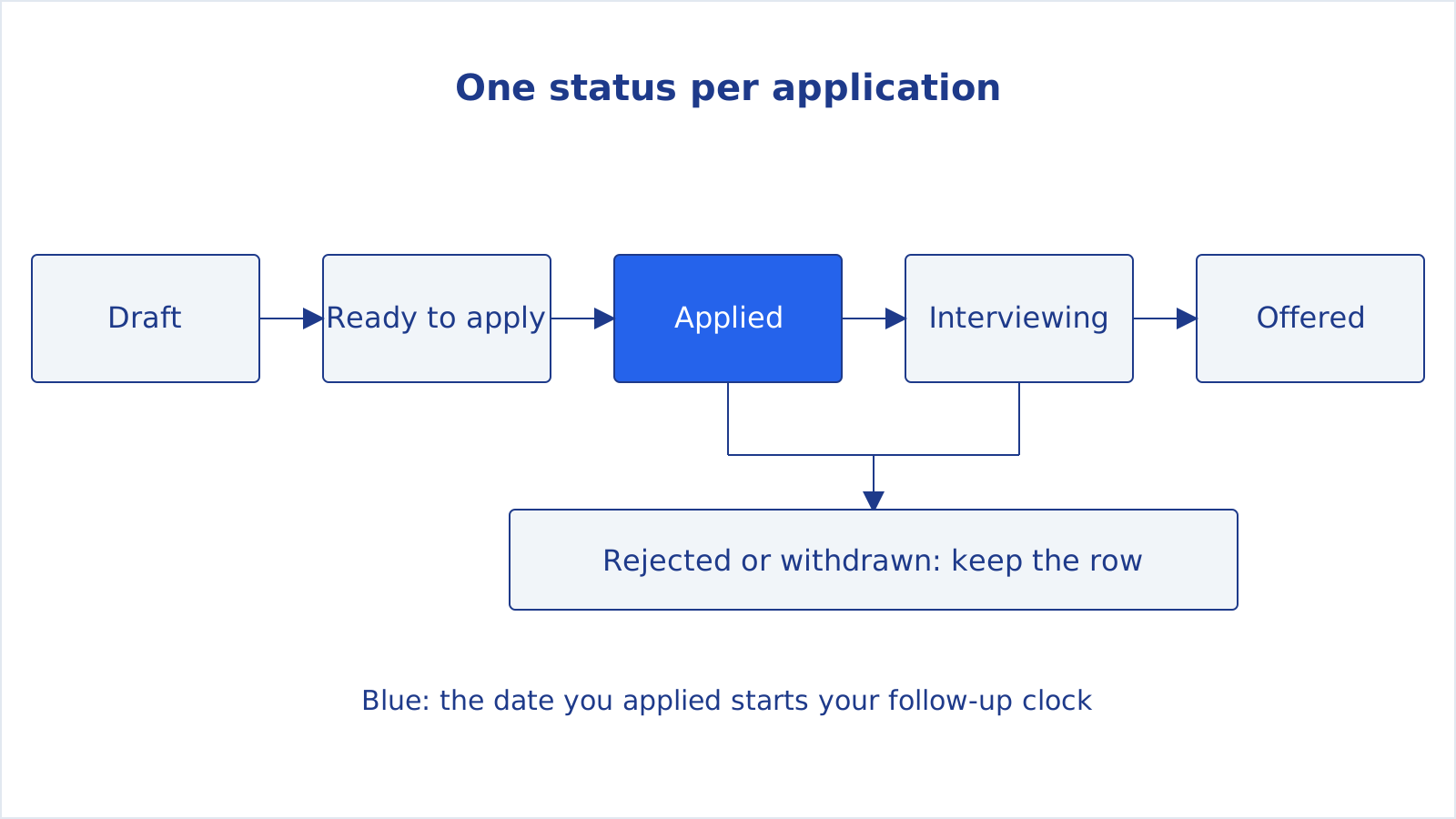
Two rules help. First, change the status the moment something happens, not at the end of the week. Second, keep rejected and withdrawn applications in the list. They are not clutter: they stop you from applying to the same company twice in a month, and after 30 or 40 rows they show you patterns. If every reply comes from referrals and none from a job board, that is worth knowing.
What the tracker looks like in CareerUpAgent
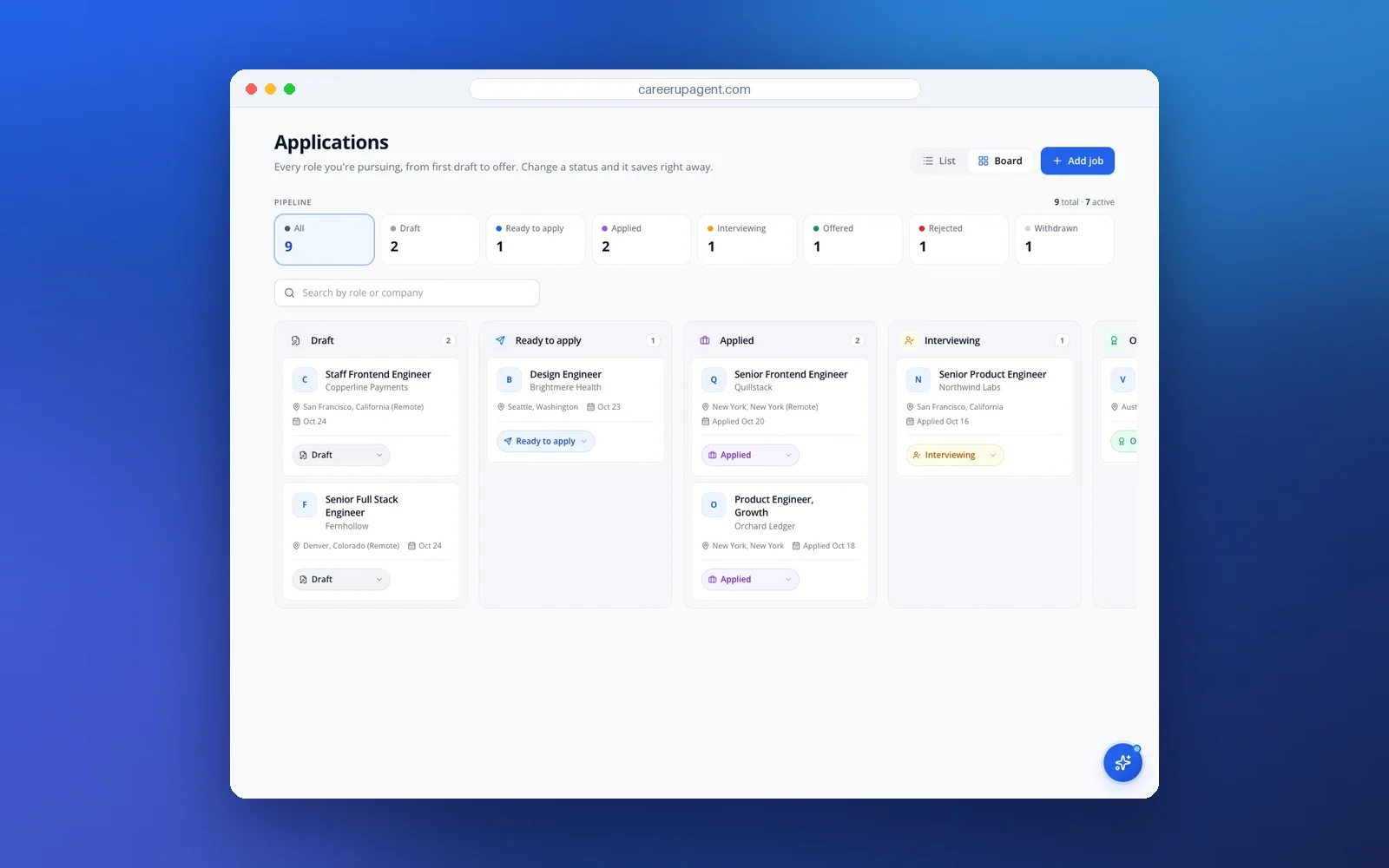
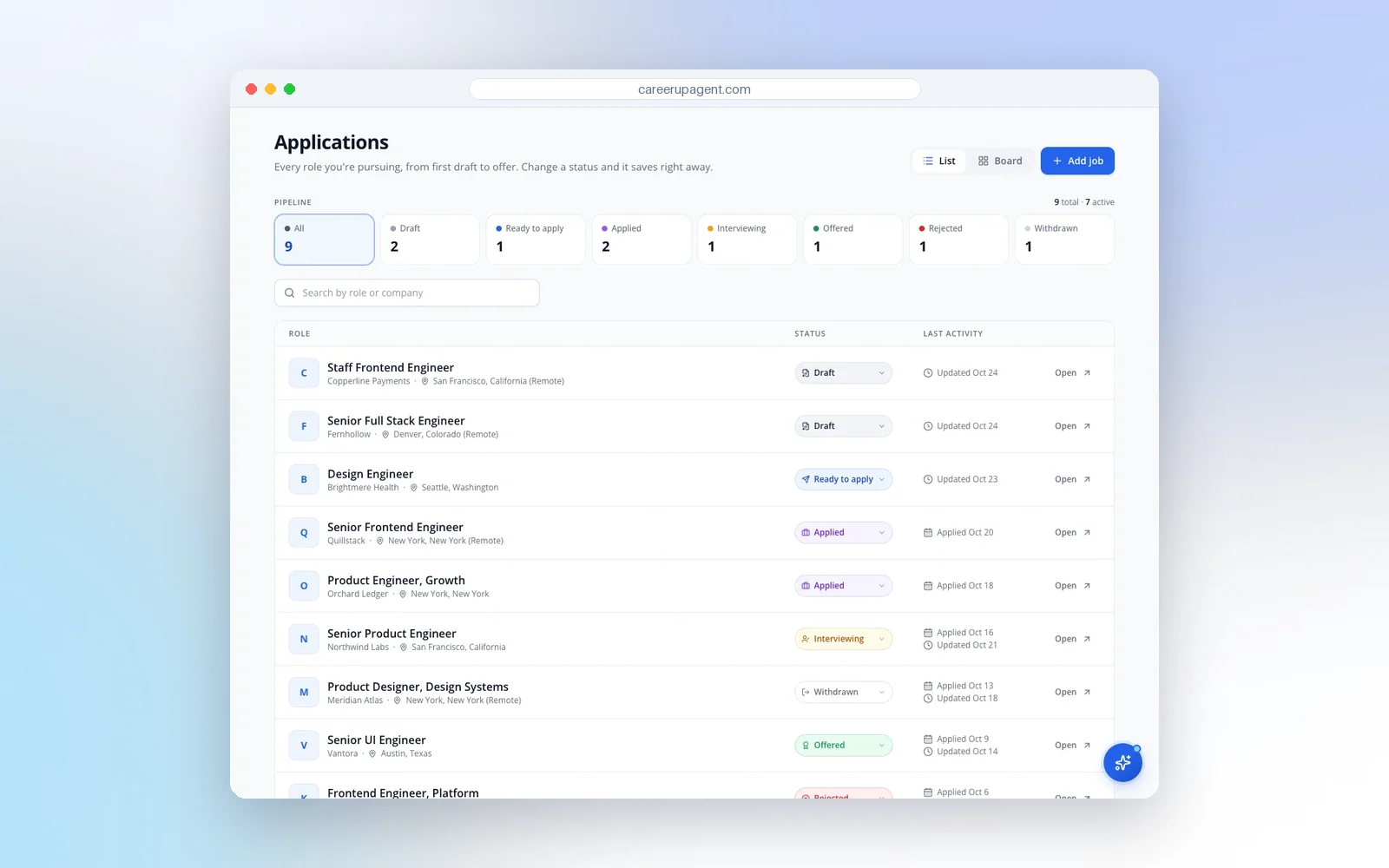
CareerUpAgent's Applications page is a tracker built around those statuses. In list view you get the count of applications per status at the top and a table of roles with a status drop-down and applied and updated dates. In board view the same applications sit in columns from Draft to Offered, and each card shows the company, location, date and a status drop-down.
If you also want notes on contacts or a follow-up date, a small companion sheet with those two columns works fine. See all features for what else the app does, such as checking how well your resume fits a job before you apply.
A weekly routine that takes about 30 minutes
Daily upkeep is one line per application: add it when you send it. The weekly review is where the tracker earns its place. Pick a fixed slot, such as Friday afternoon, and go through it in this order.

- Update statuses. Move anything that changed. Mark silent applications that are older than a month as closed in your own mind, but leave them in the list.
- Send due follow-ups. Filter for next-action dates this week and write those messages now. Our follow-up guide with email templates covers wording.
- Check interviews coming up. Make sure each has a date, a time zone and a prep slot in your calendar. Indeed recommends calendar apps for interview appointments and scheduled follow-ups.
- Pick next week's jobs. Choose the postings you will apply to, and block time to tailor each one. If you are not sure how many, see how many jobs to apply to a week.
- Look at the numbers (next section), then close the file.
Indeed also advises keeping the number of applications down: applying to fewer jobs leaves time to personalize your resume and cover letter for each. The weekly pick in step four is where you enforce that. Tailoring a resume to a job description takes longer than clicking apply, so plan for it.
The numbers worth a glance each week
If a search runs for several weeks, Indeed suggests compiling a few weekly statistics to see where to improve: new people you contacted, new jobs you applied for, new suitable companies you found, new leads, follow-ups made and interviews attended. You can read most of them straight off the tracker.
How to read them is our take, not a rule. Plenty of applications and no interviews points at the resume or at the jobs you pick, so run it through the ATS resume checker and compare it with two or three postings. Interviews but no offers points at interview practice. A week with only follow-ups and no new applications is fine if replies are coming in. Don't read too much into a single week; look at four.
When to follow up
The date applied column does the work here. In our guide to following up we suggest a first message one to two weeks after you applied, to a named person where you can find one. Write the follow-up date in the next-action column when you apply, and you won't have to remember it. If the posting gave a closing date or said when they would respond, use that date instead.
Mistakes that kill a tracker
- Too many columns. If a column is empty for the last ten rows, delete the column.
- Batch updating. Entering twenty applications on Sunday means errors and skipped ones. Add each row when you apply.
- Tracking only what you applied to. Save promising postings too, with a status like Draft, so you know what you meant to apply for.
- Deleting rejections. You lose the pattern and risk a duplicate application.
- Several trackers. One in a spreadsheet, one in an email folder and one in a notebook is how a follow-up gets missed.
About CareerUpAgent's Agent. The Agent prepares application drafts for your best new matches each morning. You review each draft and send the application yourself; nothing goes out without you.
Set it up today
Open a sheet or a board, add the six columns, and enter every application from the past two weeks, which is a good test of whether the columns fit. Then put a 30-minute slot in your calendar for the weekly review. If you would rather have the tracker next to your job matches, tailored resumes and cover letters, you can create a free CareerUpAgent account and use the Applications page. The free cover letter generator is open to try on the site as well.