Most advice on how to message a recruiter on LinkedIn tells you to "be professional" and then hands you a template with five blanks. The part that decides whether you get an answer is earlier than the wording: who you write to, about which job, and what you ask for. This guide covers that first, then gives you four short messages you can adapt: after you apply, a referral ask, a follow-up and a thank-you.
Key takeaways
- Write to a recruiter about a specific open role you actually fit, not to ask whether they have "anything".
- A free LinkedIn account lets you message only people you are connected to, so the connection note matters, and it is short.
- Keep every message to four parts: the role, one proof, one small ask and an easy way to say no.
- One follow-up after a week or two is normal. After that, move on.

Should you message a recruiter on LinkedIn at all?
Yes, with a condition. In an interview with Welcome to the Jungle, Jessica Hajsan, a managing partner at a recruitment firm, said the time to reach out is when you are a strong candidate for one of the positions the recruiter is trying to fill. She also points out that agency recruiters are paid for filling open roles, so the useful first step is finding out which roles that recruiter is working on.
That changes the job. You are not asking a stranger for a favor. You are telling someone who has a vacancy that you match it. A message that says "I'm open to opportunities, please keep me in mind" gives the recruiter nothing to act on, and it is the one that sounds desperate even when the writer is perfectly calm.
Before you write: pick the recruiter and the role
Spend ten minutes on this and the message nearly writes itself.
- Start from a job, not a person. Open a posting you would genuinely apply to. Check the posting itself, the company's careers page and the recruiter's profile, which usually lists what they hire for.
- Find the right recruiter. An in-house recruiter at the company, or the agency recruiter whose profile mentions that role or field. A recruiter who hires only for sales roles will not help with a data analyst posting.
- Check you fit. Read the requirements against your resume. If you meet most of them, write. If you meet half, apply and skip the message.
- Tailor the resume first. If the recruiter says "send me your resume", it should already match the posting. Our guide on tailoring your resume to a job description shows how.
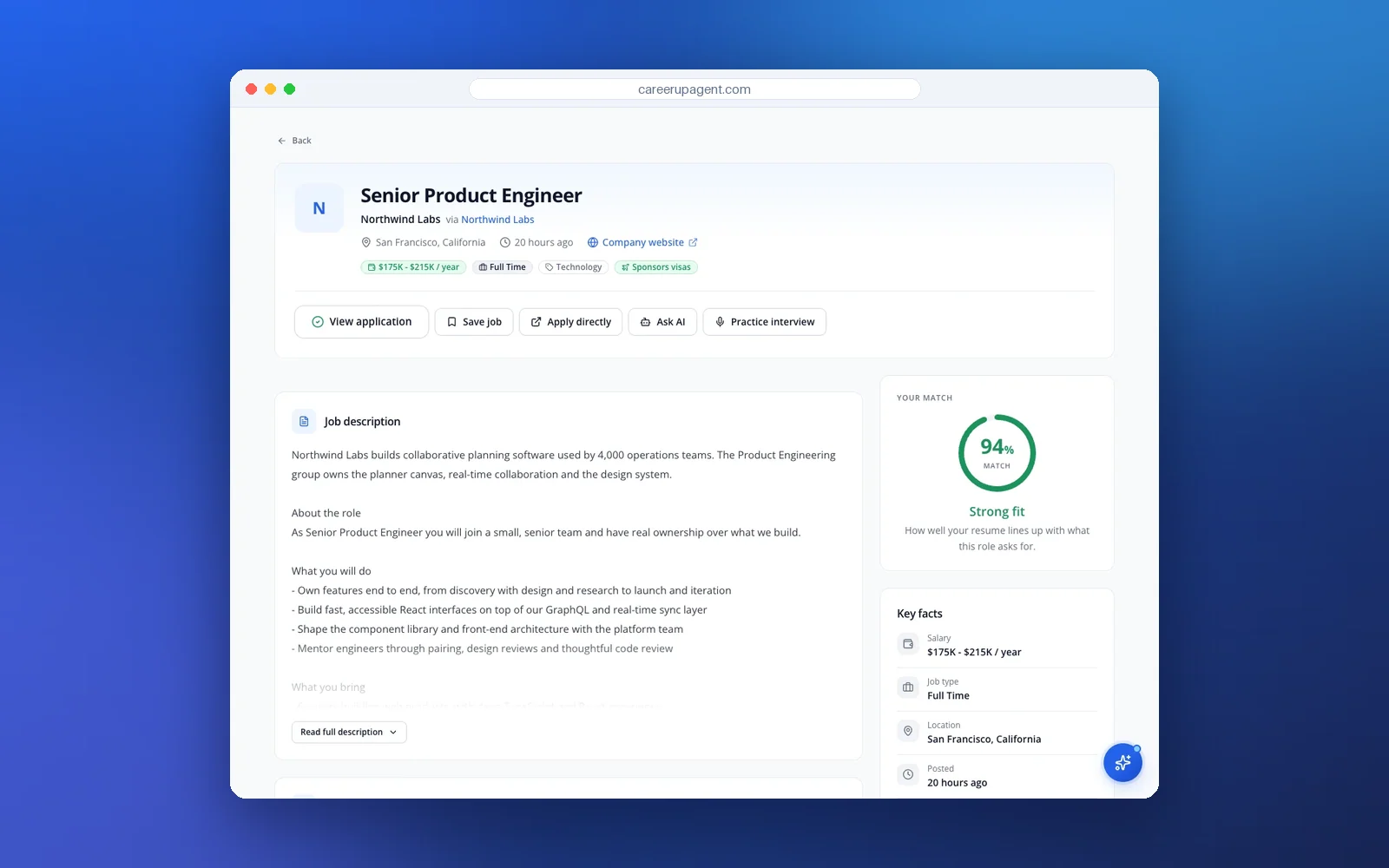
Step three is where a match score saves time. In CareerUpAgent, each job page shows a match score and the key facts behind it, so you can see at a glance whether the role is worth a message. The free resume-to-job match checker does a similar check with a pasted resume and job description.
The connection request and the free-account limit
LinkedIn's help pages say InMail is a premium feature, and with a Basic (free) account you can only directly message members you are connected to. They also note you cannot message a member who has switched off InMail in their message preferences. For most job seekers that means the first message is a connection request.
The note on a request is short. Leonar, a recruiting software company, says LinkedIn caps connection request notes at 200 characters, and other guides quote 300 for some account types, so write for 200 and check the counter LinkedIn shows you. Two sentences fit. A recruiter will also open your profile before deciding, so make sure your headline and current role are up to date, as BetterUp notes in its guide to messaging recruiters.
Connection note example:
Hi [Name], I saw you're hiring for the [role] at [company]. I've spent [X years] in [field] and just applied. I'd like to connect.
The four parts of a message that gets read
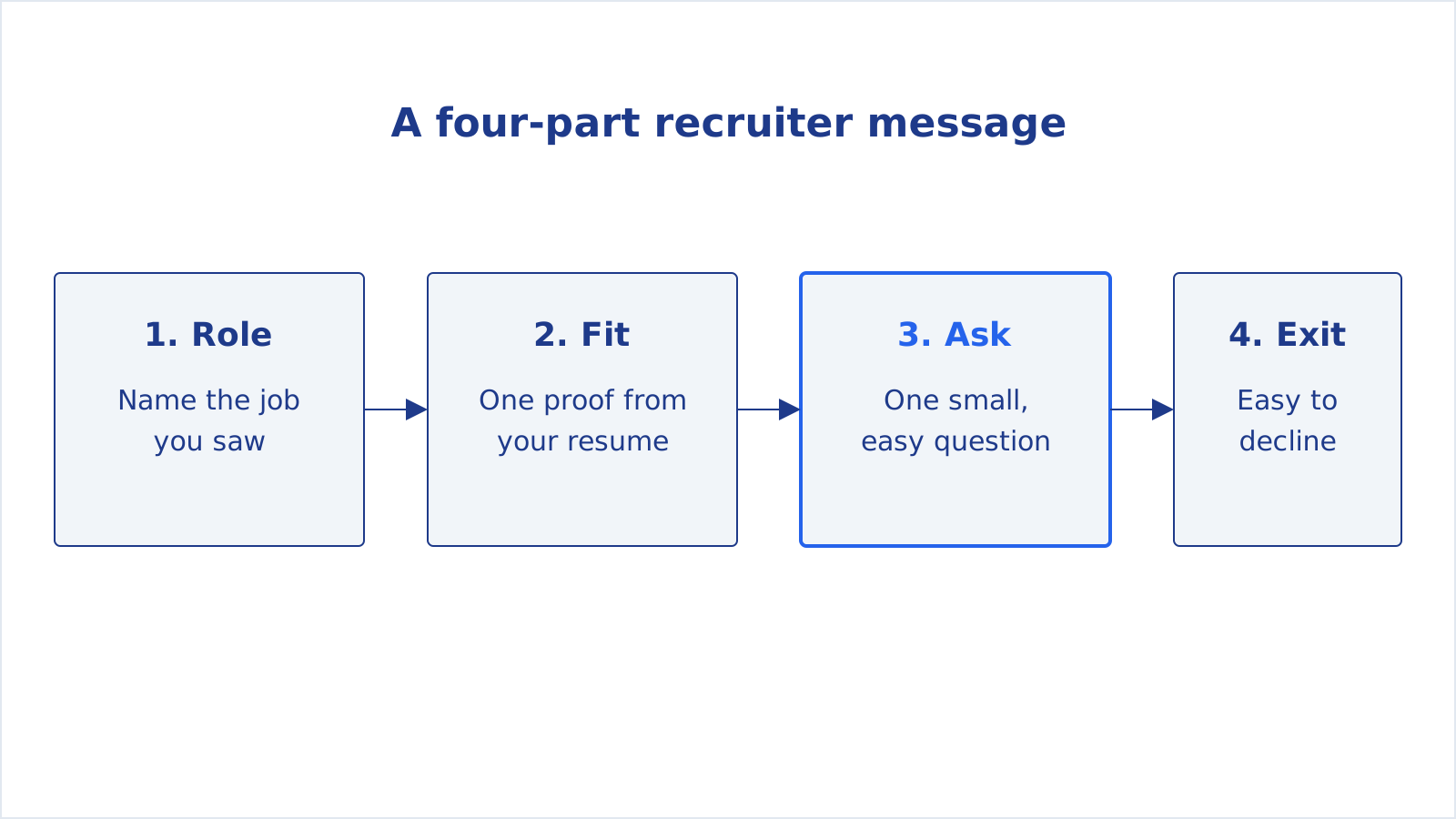
- Role. Name the job and, if you applied, say so. This tells the recruiter why you are in their inbox.
- Fit. One proof taken from your real resume, such as a result, a tool or a number you can back up. Not a list of adjectives.
- Ask. One small question that takes under a minute to answer: is the role still open, is there a person to talk to, could you pass my resume on.
- Exit. A line that makes "no" easy, like "totally fine if this isn't the right moment". It keeps the tone relaxed.
Keep the whole thing short enough to read on a phone without scrolling. If you cannot say it in about five sentences, the fit paragraph is carrying too much.
Four templates to adapt
These are shapes, not scripts. Swap in your own detail, and change the wording so it sounds like you. A recruiter who has seen the same opener fifty times will notice.
1. After you applied
Hi [Name], I applied on [day] for the [role] position. I've run [specific thing from your resume that matches the posting], which looked close to what the team needs. If it helps, I can send a one-page summary. Is this role still open for applications?
Use this one when you have already submitted. It puts a human name on an application that might otherwise sit in a queue.
2. Asking for a referral or an intro
Hi [Name], I'm applying for the [role] at [company] and noticed you work on the [team]. I'm coming from [your background] and the [specific part of the job] is the reason I want it. Would you be open to a 10-minute chat about what the team is like, or to pointing me to the right recruiter? Totally fine if you're busy.
This one goes to an employee, not a recruiter. The ask is a chat or a pointer, not a favor that puts their name on you.
3. The follow-up
Hi [Name], following up on my note from last week about the [role]. I know hiring moves slowly. If the role has been filled, I'd still like to hear about similar openings on your team. Thanks for reading.
Send one, about a week or two after the first message. Our guide to following up after applying for a job covers timing and when to stop.
4. The thank-you after a call
Hi [Name], thanks for the call today. You mentioned the team is [one detail they said], and that made me want the role more. I'll send the portfolio link you asked for by tomorrow. Thanks again for your time.
It only works if the detail is real, so write the call notes down straight after hanging up. If you track applications somewhere, put the date and the detail there too. Our job search tracker guide lists the columns worth keeping.
Tip: Read your message aloud before sending. If a line sounds like something you would never say to a person across a table, rewrite it. "I hope this message finds you well" is the usual suspect.
What to leave out
- Your whole career story. If the recruiter wants it, they will ask, and your "tell me about yourself" answer is for the call.
- Salary demands in the first message. Wait until they ask. If they do, our guide on the salary expectations answer has scripts.
- Several roles at once. Pick one. "Any of your openings" signals you have not read them.
- An attached resume with no cover words. A file with no message reads as a mass mailing.
- Pressure. No "I need an answer by Friday", and no guilt about how long you have been searching.
When there is no reply
No reply is common and usually says nothing about you. Recruiters handle many roles at once, and a role may be on hold or filled. Send one follow-up after a week or two, apply through the posting if you have not, and put your energy into the next role. A second chase after that rarely adds anything.
It also helps to have something solid to point to. A resume that matches the posting is what a recruiter opens, and the free ATS resume checker is a quick way to check that the text of your file reads cleanly. A short cover letter helps when they ask for one, and the cover letter generator gives you an editable draft to start from.
Note: A message does not replace an application. Apply through the posting as well. CareerUpAgent prepares application drafts for you to review and send yourself.
A simple weekly routine

Pick a fixed slot, such as Tuesday and Thursday mornings. Choose two or three roles that fit, tailor the resume for each, apply, then send one message per role to the right recruiter. Log each message and the date. That is a handful of messages a week, each written for a particular job, which is more than enough. If you want to try matching and tailoring in one place, you can create a free account.