
Your resume format decides what a hiring manager reads first, and whether an applicant tracking system (ATS) can read your work history at all. There are three common layouts: chronological, functional and combination. They hold the same facts, so the choice is about order: do you lead with your jobs, your skills, or both?
This guide compares the three, says who each one suits, and ends with four questions that pick the format for you. The sources are Indeed's resume format guide, Jobscan's piece on the functional format and Colorado State University's Career Center.
Key takeaways
- A resume format is the order your information appears in. Chronological leads with work history, functional with skills, combination with both.
- Chronological is the default for a steady history in one field. Combination is the better pick for career changers and specialized skills.
- Functional resumes carry real ATS and credibility risk. If you need one, keep a dated work-history section.
- Length, plain headings and consistent spacing matter as much as the label on the format.
What a resume format is (and what it is not)
Indeed defines a resume format as how your information is organized on the page: the order in which an employer meets your work history, skills and education. It is not a template with colors and icons. A template can be pretty and still be the wrong format for your situation.
It also helps to remember how short the first look is. Colorado State's Career Center notes that hiring managers often spend less than a minute on a first review. Whatever sits at the top of page one is what gets that minute.
The three resume formats at a glance
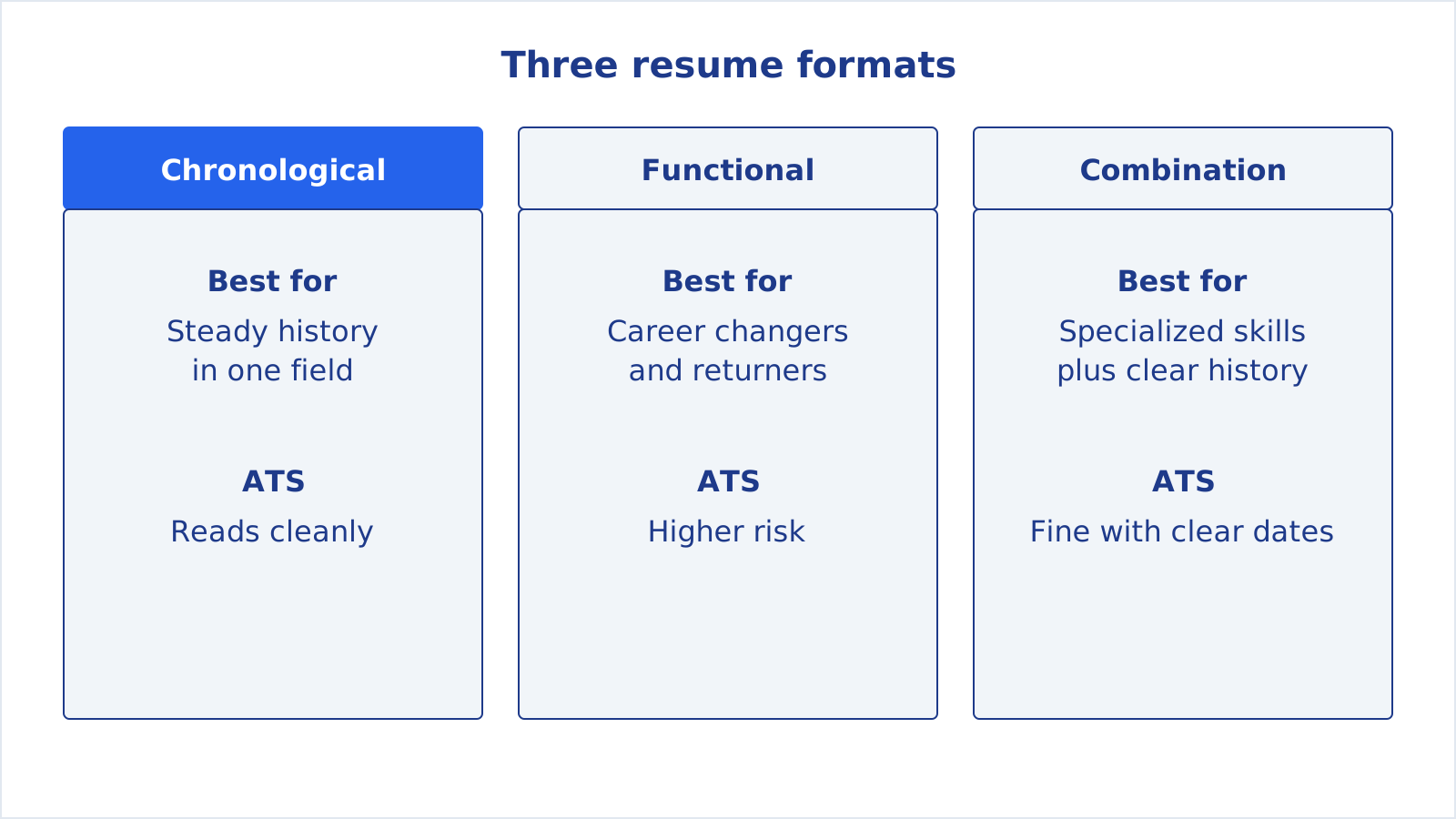
| Format | What comes first | Suits | Watch out for |
|---|---|---|---|
| Chronological | Work history, most recent role first | A steady history in a related field | Gaps and job changes are easy to see |
| Functional | Skills and areas of expertise | Career changers, people returning to work | Parsers and recruiters may distrust it |
| Combination | A skills section, then full work history | Specialized skills with a clear career record | Can run long if the skills block is padded |
Chronological resume: the default
A chronological resume lists your work history in reverse order, starting with your most recent job. Indeed says it often works well for job seekers with consistent experience in a related field. A typical order is contact details, a short summary, work experience, education and skills.
It is also the layout ATS software expects. Jobscan explains that applicant tracking systems are built to read a dated, reverse-chronological work history and use your job titles and dates to build a career timeline. A chronological resume hands them exactly that.
The weak spot is exposure. Gaps, short stints and a change of direction are all visible at a glance. That is manageable: list years instead of months if that fits the facts, and keep any explanation to one line. Our guide to a resume gap explanation covers the wording.
Choose it when: you have worked in the same or a closely related field, your last role is your strongest, and the job you want is the next step up or sideways.
Functional resume: where it goes wrong
A functional resume puts skills and areas of expertise first and plays down the work history. Indeed describes it as a format that can help career changers or those returning to the workforce highlight their transferable skills. The logic is understandable: if your last job doesn't look like the one you want, why lead with it?
The trouble is what happens next. Jobscan warns that because the format de-emphasizes dates and titles, a parser can end up with a long list of skills and almost no work record attached to them. The same article says recruiters can be skeptical because functional resumes often feel like they are hiding something, and it recommends a hybrid format instead for people with limited experience.
If you still want a functional layout, Jobscan's two safeguards are practical: keep a clear work-history section with standard job titles, company names and dates, even if it is only three lines, and use standard headings such as "Work Experience" and "Education" rather than creative labels.
Combination resume: skills and history together
A combination resume, also called a hybrid, gives equal weight to a skills section and a work history. Indeed says it may work well for job seekers with specialized skills supported by a clear career history.
In practice you add a short block near the top, headed something like "Key skills" or "Selected projects", where you put the skills the target job asks for. Underneath sits a normal reverse chronological work history, so the parser and the recruiter still get dates and titles. That is why it works for career changers who don't want to bury their last job but want the reader to see the relevant skills first. Our post on the career change resume walks through building one in four steps.
Keep the skills block tight. Each skill should be backed by a bullet further down the page, otherwise it reads as a list of claims. The resume skills section guide shows how to choose which ones to include.
How to choose a resume format: four questions

Indeed lists the factors that drive the choice: how much relevant experience you have, whether your skills transfer across industries, and how closely your past roles match the job description. Turned into questions:
- Does your last role sit in the same field as the job you want? Yes: chronological. No: go to question two.
- Do your skills transfer, and can you show them in a few bullets? Yes: combination, with those skills in a block at the top and your dated work history underneath. If you are returning after a break or have mostly volunteer work, still keep the work-history section, even if it is short.
- Is the job asking for a specific technical or specialized skill set? If yes, name those skills in the top block, whichever of the two formats you chose.
- Is this an early-career resume? Add education, projects and internships to whichever format you chose, and keep it to one page.
A pure functional resume doesn't come out of these questions, and that is deliberate. For most people the answer is chronological or combination, because both keep a dated work history that parsers and recruiters can find.
Tip: Whichever format you pick, keep a master resume with every job, project and skill you have. Colorado State's Career Center suggests keeping a master document and picking what to include for each tailored resume. Changing format then means reordering sections, not rewriting.
The details that matter more than the label
Length
Colorado State's guidance is one to two pages: one page if you are early in your career, two for a mid-career professional with 10 or more years of experience. The goal, it says, is to get an interview, not to explain every job you have had.
Simple formatting
Indeed's tips are plain: consistent spacing, headings and fonts, with standard fonts and clear section labels. Bullet points break up text and highlight responsibilities and achievements; if yours read like duties, the resume bullet points examples post has 15 before/after rewrites.
Headings a parser recognizes
"Work Experience", "Education", "Skills". Creative labels like "My Journey" give a parser nothing to match. The same goes for a summary at the top: keep it to a few lines, as in our resume summary examples.
Check how your format reads before you send it
You can't see what a parser sees, but you can test it. CareerUpAgent's free ATS resume checker takes an uploaded resume and runs a set of checks, including whether the text is readable, whether contact details, section headings and dates are found, and whether the length is short. In the demo account below, the sample resume gets a 94% ATS-friendly score with length flagged as short.
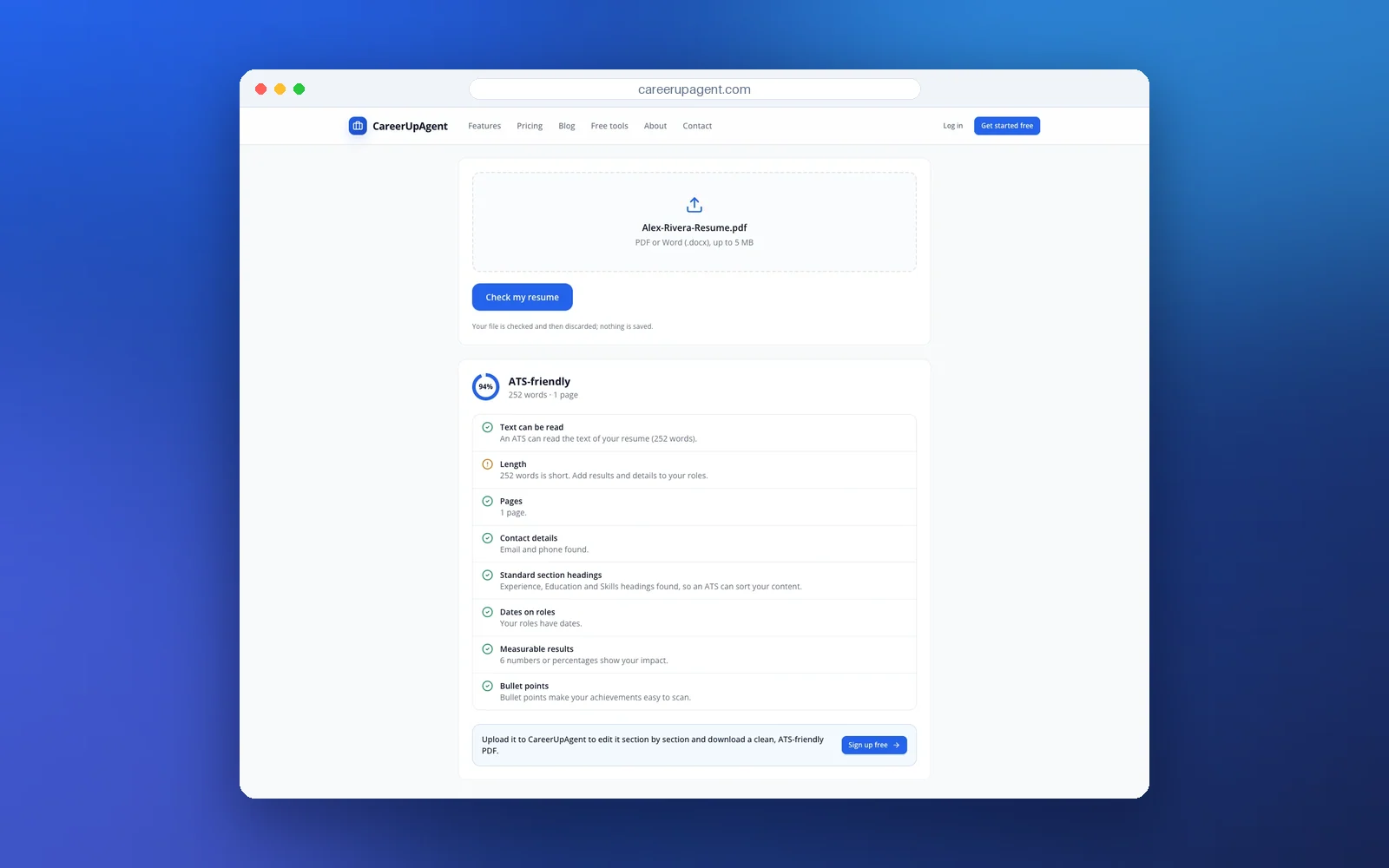
If a check on section headings or dates fails after you switch to a functional layout, that is the same problem Jobscan describes: the parser can't find your timeline. Move the work history up or add the dates back.
Once the format is settled, the next job is matching the content to each posting. That is where the resume job match checker and the tailored resume in CareerUpAgent come in, and our guide on how to tailor your resume to a job description covers the manual version. You review and send every application yourself. For how ATS software handles the file itself, see what applicant tracking systems read.
Note: Sources disagree on small details, and employers differ. Treat the advice above as a starting point, and follow any format the job posting asks for.
Quick format check before you send
- Work history is dated, with standard job titles and company names.
- Section headings are plain: Work Experience, Education, Skills.
- The most relevant material sits in the top third of page one.
- One page if you are early in your career, two at most for most others.
- Fonts, spacing and bullet style are consistent from top to bottom.
- The file passed an ATS check and still reads well to a person.
Pick the format that shows your strongest evidence first, and make sure the dates and titles are there for anyone, or any software, that goes looking for them. If you want to try the free checker on your own file, it is at careerupagent.com/ats-resume-checker, and you can create a free account at careerupagent.com/register.